
Download Aim Assist – Customizable Crosshair for PC Gamers
Overview
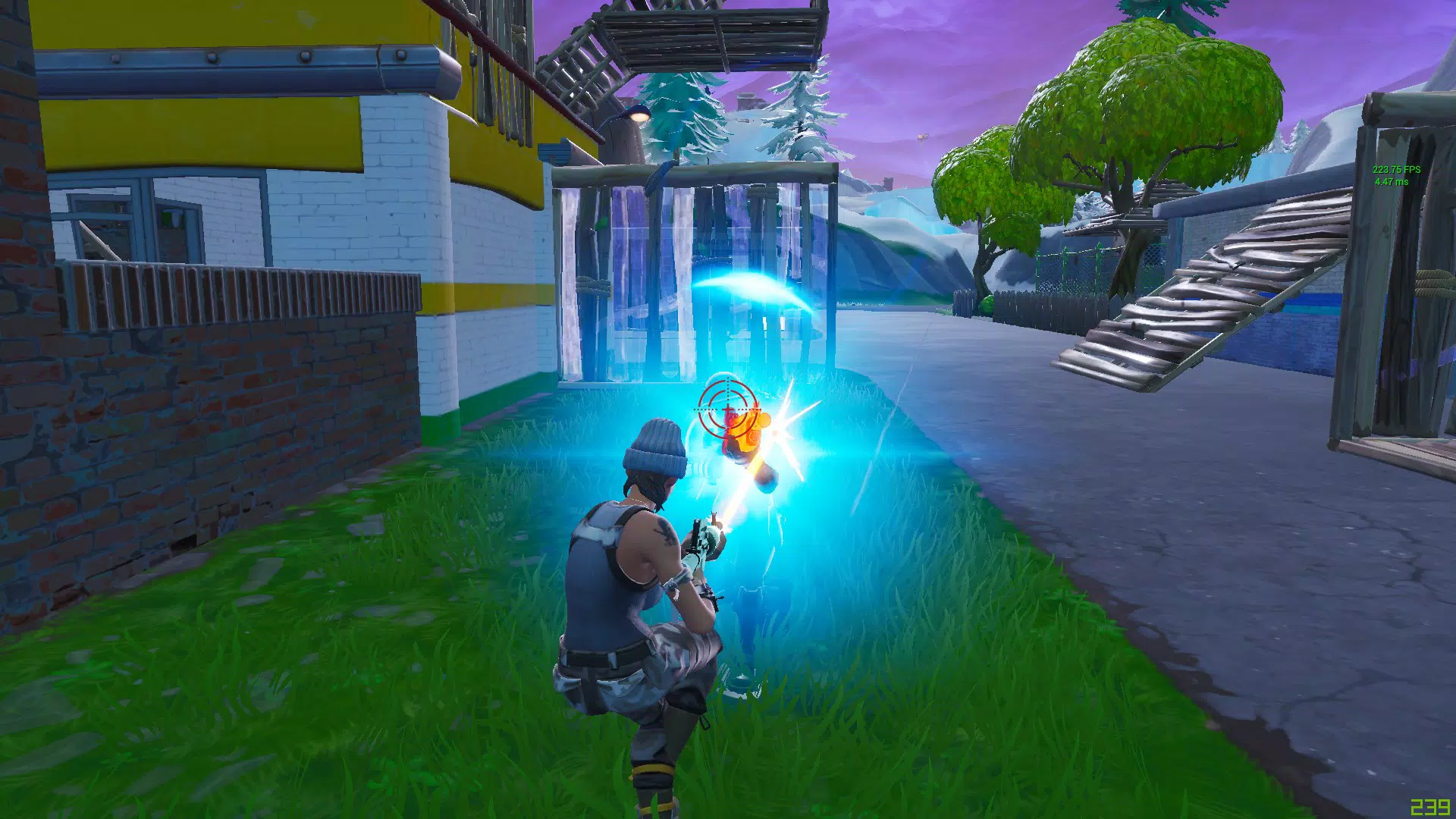
Aim Assist is a mobile application designed to enhance visual aiming precision for PC gamers engaged in first-person and third-person shooter titles. The app serves as a digital alternative to physical crosshair stickers, offering a customizable on-screen crosshair that improves visibility during high-intensity gameplay. It is particularly useful in fast-paced Battle Royale games where split-second targeting can determine victory or defeat. The application is optimized for windowed and windowed full-screen modes, making it ideal for users with large monitors or multi-display setups. By eliminating the need for adhesive stickers, Aim Assist provides a clean, adjustable, and responsive aiming solution that adapts to various screen sizes and gaming environments.
Target users include competitive PC gamers, streamers, and content creators who prioritize visual clarity and consistency in their gameplay. The app addresses the common challenge of maintaining accurate aim under stressful conditions by offering a persistent, customizable crosshair that remains visible regardless of in-game visuals. Its design philosophy centers on reducing distractions while increasing focus and precision. Although the developer did not provide additional background information, the app’s functionality suggests a focus on utility and user experience for gaming communities. In the broader app ecosystem, Aim Assist fills a niche for lightweight, performance-oriented tools that enhance the gaming workflow without interfering with game mechanics.
Key Features & Functionality
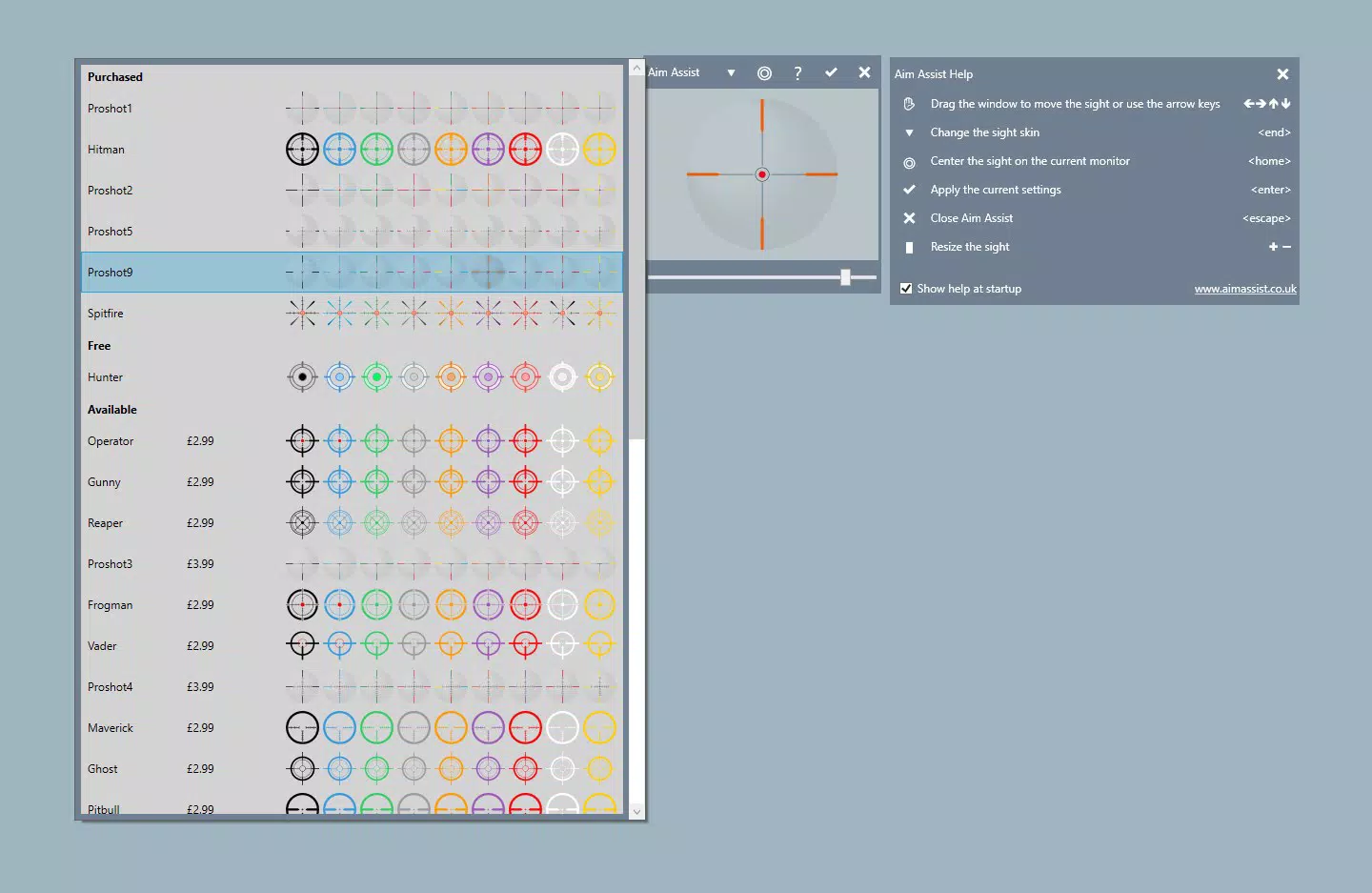
- Customizable Crosshair Options: Users can adjust the size, color, and style of the crosshair to match their monitor settings and personal preferences. This ensures optimal visibility across different game environments and lighting conditions.
- Optimized for Windowed Modes: The app functions seamlessly in both 'Windowed' and 'Windowed Full Screen' modes, allowing gamers to maintain full control over their desktop while playing, ideal for multitasking or streaming.
- Digital Replacement for Physical Stickers: Eliminates the need for adhesive crosshair stickers, which can degrade over time or cause screen residue. The digital version is instantly adjustable and free from physical wear.
- Adaptive Visibility Across Monitor Sizes: Whether using a 24-inch display or a 49-inch ultrawide monitor, the crosshair scales appropriately to maintain visibility and accuracy.
- Enhanced Aiming Precision: By providing a consistent visual reference point, the app helps players improve reaction times and accuracy, potentially increasing kill counts and overall win rates in competitive matches.
For example, a streamer using a dual-monitor setup can keep the crosshair visible in the primary window while managing chat and overlays in the secondary. A competitive player in a crowded Battle Royale match can benefit from a high-contrast crosshair that stands out against chaotic backgrounds, reducing the cognitive load of tracking targets.
Interface, UX & Performance
The user interface of Aim Assist is minimalistic and focused on functionality. The app likely features a straightforward layout with intuitive controls for adjusting crosshair size, color, and position. Navigation appears to be direct and efficient, requiring minimal setup time. Users can access customization options through a simple menu or floating control panel, allowing real-time adjustments during gameplay.
Although the developer did not list formal performance metrics, the app is designed to operate with low system overhead. It runs in the background without interfering with game performance, ensuring smooth operation even during extended gaming sessions. Responsiveness is likely optimized for consistent rendering, with minimal lag or flickering. Stability across different device categories—such as standard laptops, high-refresh-rate monitors, and multi-display systems—has not been formally disclosed. However, its focus on windowed mode compatibility suggests it is engineered to maintain performance under variable display configurations.
Platform Compatibility & Technical Requirements
Aim Assist is available for Android and iOS platforms, making it accessible to a wide range of mobile users. The app supports the latest versions of both operating systems, though specific OS requirements were not listed. The file size is reported at 24.5 MB, indicating a lightweight footprint that allows for quick installation and minimal storage usage. The current software version is 1.2.3, and the app was released on July 5, 2019. Compatibility with older devices or specific hardware configurations was not disclosed by the developer.
Pros and Cons
Pros
- Lightweight and fast to install with minimal storage impact.
- Provides a clean, digital alternative to physical crosshair stickers.
- Customizable crosshair for improved visibility and personalization.
- Optimized for windowed gaming modes on large monitors.
- Designed for low system resource usage during gameplay.
Cons
- Specific compatibility details with older devices were not provided.
- Performance on low-end mobile hardware was not tested or confirmed.
- Limited information on update frequency or long-term maintenance.
- No official support for desktop platforms beyond mobile integration.
- Functionality is limited to crosshair display; no advanced aiming assistance features.
FAQ
Is Aim Assist safe to use on my mobile device?
Yes, the app is designed to operate as a lightweight utility with no known security risks. It does not access sensitive data or require root or jailbreak privileges.
Can I use Aim Assist with my PC gaming setup?
Yes, Aim Assist is intended to support PC gaming by providing a visual aid via mobile devices. It connects to your PC display through screen mirroring or similar methods, allowing the crosshair to appear on your monitor.
Does the app require a constant internet connection?
No, Aim Assist functions offline once installed. It does not rely on cloud services or online data for core functionality.
How often is the app updated?
The developer has not disclosed the update frequency. However, the last release was in 2019, and no recent changes have been documented.
Is Aim Assist compatible with all types of monitors?
The app is optimized for windowed modes and adapts to various screen sizes. Specific compatibility with niche display types was not specified.
Final Thoughts
Aim Assist offers a practical and elegant solution for PC gamers seeking improved aiming precision without the drawbacks of physical crosshair stickers. Its customizable interface, lightweight design, and focus on windowed mode compatibility make it a valuable tool for competitive players and streamers alike. While the app lacks detailed technical documentation and has not seen recent updates, its core functionality remains relevant in today’s gaming landscape. For users who prioritize visual clarity and consistency, Aim Assist delivers tangible benefits with minimal setup. If you're looking to enhance your gameplay with a reliable, low-overhead crosshair tool, this app is worth considering.
Download Aim Assist now


